

Connect Zapier with Teyuto
You can use Zapier to automate some procedures, currently the triggers supported are: -New User: triggers when a new user is created. -New Charge: triggers when a new charge is created.New Subscription: triggers when there is a new subscription. -Deleted Subscription: triggers when user subscription is deleted. -Abandoned Cart: triggers when a user abandons the cart without purchasing. -Began to Play Video: trigger when a user plays a video for the first time. -Video Playback Completed: triggers when a user views the video completely. Full reference To start using Zapier, visit the CUSTOMIZE section of your dashboard and click on the INTEGRATION tab of the section menu.
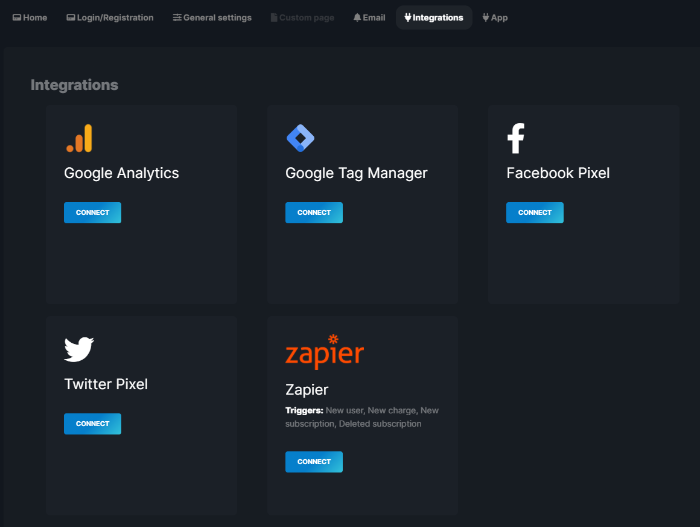
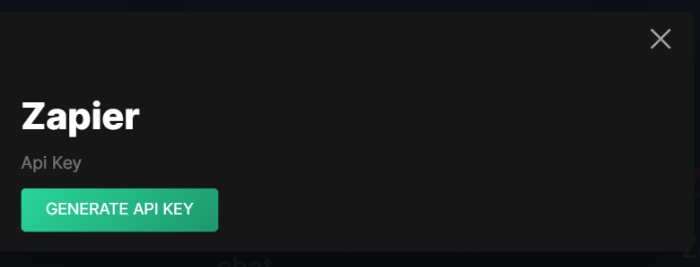
Click on "CONNECT" and a new window will open. To generate a new API KEY click on "GENERATE API KEY".
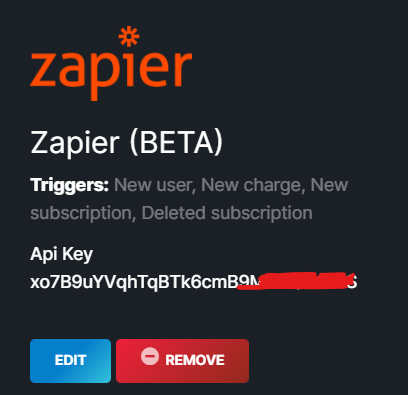
At the end of the operation you will find your key in the "Zapier" tab of the integrations menu.
Is this article helpful?
Articles in this section: 10 articles
- Connect Zapier with Teyuto
- Sell your contents (with multi currency)
- Export contacts in CSV format
- Create and Start a Live Streaming
- Create a Custom Page
- How to embed a video into an external website
- Edit a video quiz (and display results)
- How to customise the homepage
- How can I set a custom domain?
- How to cancel your Teyuto Account